When I was writing a small HTA application that was using Internet Explorer, I noticed that it was not running in IE8 mode it was running IE7 mode.
To verify you can try this in IE8: javascript:alert(navigator.userAgent)
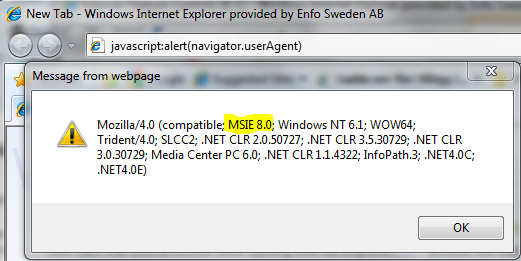
Here you see that IE8 is running in IE8 mode
While in my HTA application
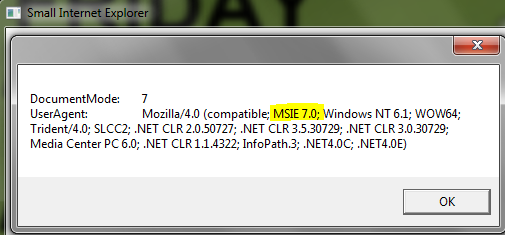
And as you can see the application is running in IE7 mode.
Get the source code for my Small Internet Explorer here: Small Internet Explorer
To solve this, fire up the regedit and browse to the key:
[HKLM|HKCU]\SOFTWARE\Microsoft\Internet Explorer\MAIN\FeatureControl\FEATURE_BROWSER_EMULATION
If you have a 64-bit Windows and want to control the 32-bit Internet Explorer this it the key:
[HKLM|HKCU]\SOFTWARE\Wow6432Node\Microsoft\Internet Explorer\MAIN\FeatureControl\FEATURE_BROWSER_EMULATION
Now create a DWORD Value where the name is your application, in this case mshta.exe and decimal value 8.

For more information about these settings and possible values check out MSDN:
http://msdn.microsoft.com/en-us/library/ee330730(VS.85).aspx
 DeployWindows
Leave a comment