Some updated information in a new post: http://wp.me/pppkO-a3
Some of you probably noticed that you can’t change the network location in Network and Sharing Center, it’s somewhat true.
If you set the your network location to Public network, like this

This is similar if you pressed No, don’t turn on sharing or connect to devices to this screen.
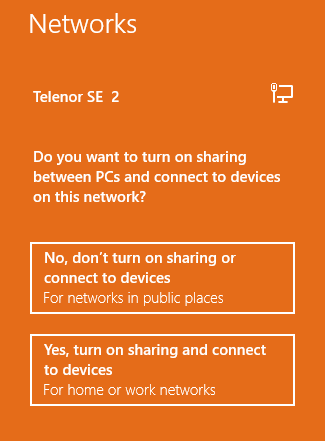
You can thru Network and Sharing Center choose HomeGroup, down at the right

and here you have the option to change to Private network/home or work network if you press Change network location

this screen will appear and you can change your location
You want information about network locations in generic terms? Look at these places, it’s not referring to specific in Windows 8 but it more or less works the same
http://technet.microsoft.com/en-us/library/cc725993(v=WS.10).aspx
http://technet.microsoft.com/en-us/library/cc753545(v=WS.10).aspx
http://blogs.msdn.com/b/powershell/archive/2009/04/03/setting-network-location-to-private.aspx
 DeployWindows
Leave a comment